Mobile connectivity has changed significantly with the introduction of 5G networks. As more carriers expand their 5G coverage, smartphone users are becoming increasingly interested in switching from 4G LTE to the newer network technology.
However, moving from 4G to 5G is not simply a matter of installing an app or changing one hidden setting. Your phone needs the correct hardware, software, network support, and compatible service.
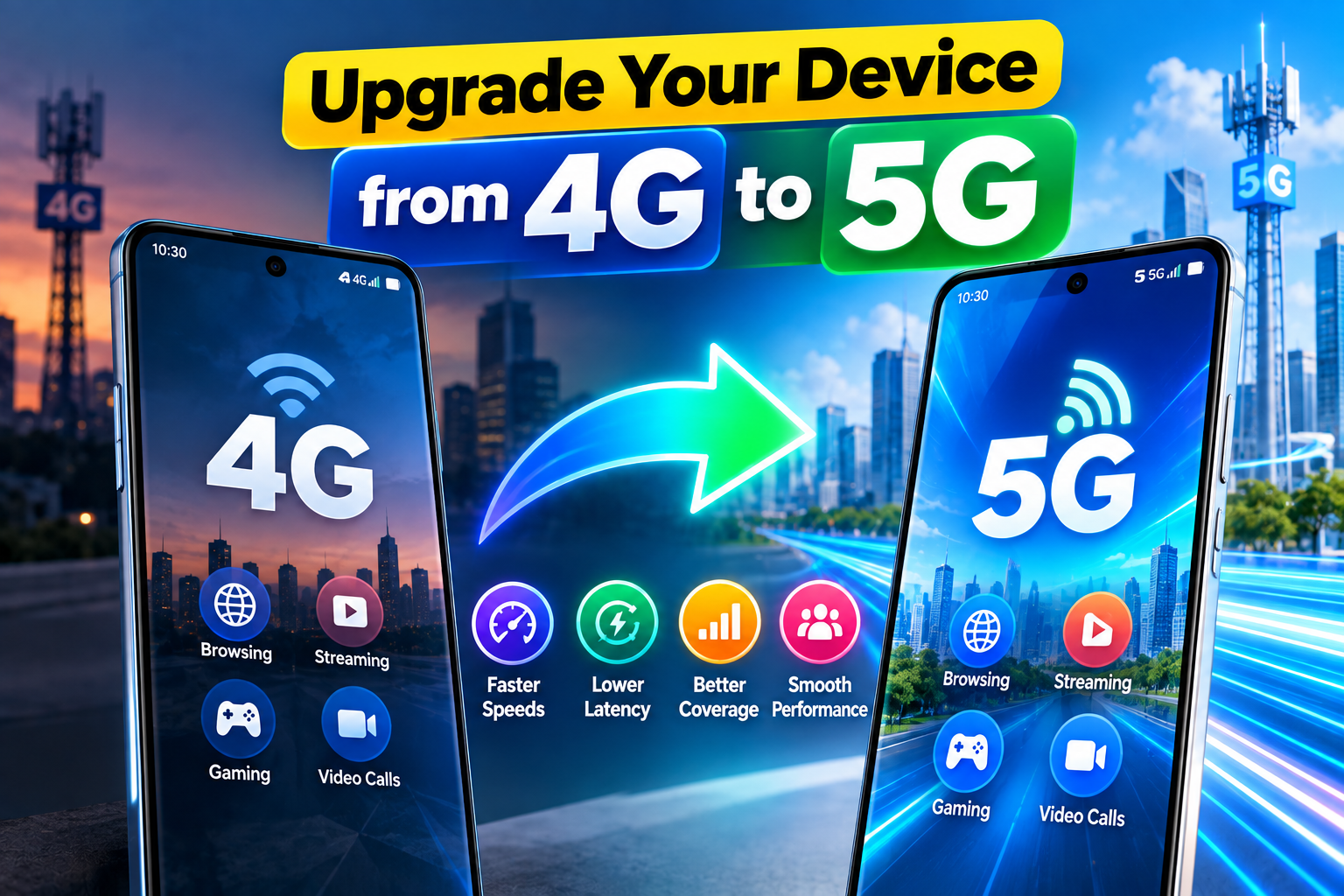
In this guide, we’ll explain how to determine whether you can Upgrade Your Device from 4G to 5G, what you need, and what to do if your phone continues to show a 4G connection.
4G vs. 5G: What Is the Difference?
4G LTE has provided fast mobile internet for years and remains suitable for everyday activities such as browsing websites, streaming videos, using social media, online gaming, and making video calls.
5G is the newer generation of mobile network technology. Depending on the network and location, it can offer:
- Higher data speeds
- Lower latency
- Greater network capacity
- Improved connectivity in busy areas
- Better support for connected devices
Actual 5G performance can vary based on the carrier, frequency band, signal strength, device, and network traffic.
Can You Convert a 4G Phone Into a 5G Phone?
This is the most important point to understand.
If your smartphone was designed as a 4G-only device, there is no software trick that can turn it into a genuine 5G phone.
A 5G-compatible smartphone requires specific hardware, including components such as:
- 5G modem
- Compatible chipset
- Supported radio hardware
- Appropriate antennas
- Support for relevant 5G frequency bands
A software update can enable or improve 5G functionality on a phone that already has the necessary hardware. However, software cannot add a physical 5G modem to a 4G-only smartphone.
What If Your Phone Already Supports 5G?
If your smartphone is technically a 5G model but continues to connect to 4G, the problem may simply be related to network settings, coverage, or your mobile service.
Before changing anything, confirm your exact phone model and check its official specifications to make sure 5G is supported.
What Do You Need for 5G?
Several things need to be compatible before you can successfully Upgrade Your Device from 4G to 5G.
1. 5G-Compatible Smartphone
Your phone must contain the hardware required to connect to 5G networks. Check the manufacturer’s official specifications for your exact model.
2. 5G Coverage
Your carrier must provide 5G service in the area where you are using the phone. A 5G-compatible smartphone will normally use 4G when 5G coverage isn’t available.
3. Compatible Data Plan
Some mobile operators require a specific plan or package before 5G access is enabled. Check your carrier’s current requirements.
4. Suitable SIM Card
SIM requirements differ between operators. Some networks allow existing SIM cards to work with 5G, while others may require a newer or compatible SIM.
5. Updated Phone Software
Installing available system updates can help ensure your phone has the latest supported network features and carrier configurations.
How to Turn On 5G on a Supported Phone
If your phone already has 5G hardware, you can usually select the preferred network mode from its settings.
The names of the menus may differ between Android manufacturers, but the general process is:
- Open Settings.
- Tap Mobile Network, Connections, or a similar option.
- Select the SIM you want to use.
- Open Preferred Network Type or Network Mode.
- Select an option such as 5G/4G/3G/2G Auto.
Your phone should then connect to 5G automatically whenever a compatible network is available.
Some devices may use different wording, so check your manufacturer’s instructions if you cannot find the option.
Why Does My 5G Phone Still Show 4G?
A 5G smartphone will not necessarily display the 5G icon everywhere.
Several factors can cause the phone to remain connected to 4G:
- 5G coverage isn’t available in your current area.
- Your mobile plan doesn’t include 5G access.
- Your SIM isn’t supported by the carrier’s 5G service.
- 5G is disabled in the network settings.
- Your phone doesn’t support the carrier’s specific 5G bands.
- Temporary network conditions are causing the device to use 4G.
When 5G isn’t available or conditions are unsuitable, a compatible smartphone can automatically switch back to 4G LTE.
Don’t Trust Fake 4G-to-5G Apps
You may find apps or websites claiming that they can convert a normal 4G phone into a 5G device.
These claims should be treated with caution.
An application cannot add the physical modem, antennas, or radio components required for 5G connectivity. Some apps may only provide shortcuts to existing network settings or show technical information about your connection.
Avoid installing suspicious applications that promise to unlock 5G on unsupported hardware, particularly if they request unnecessary permissions.
What Are the Benefits of 5G?
If your phone, carrier, and location support 5G, you may notice several advantages.
Faster Data Transfers
Under suitable network conditions, 5G can provide significantly higher data speeds, making large downloads and other data-intensive activities quicker.
Lower Latency
Reduced latency can make certain online activities feel more responsive, particularly applications that depend on fast communication with a server.
Better High-Quality Streaming
Higher network capacity and speeds can make high-resolution video streaming more practical where adequate 5G coverage is available.
Improved Network Capacity
5G technology is designed to support a large number of connected devices, which can be useful in busy locations with heavy network traffic.
When Should You Purchase a 5G Phone?
If your current smartphone is limited to 4G hardware, buying a 5G-compatible phone is the practical option if you want access to 5G.
Before purchasing, don’t simply look for a “5G” label. Make sure the phone supports the 5G frequency bands used by your mobile carrier and region.
You should also compare other important specifications, including:
- Processor
- Battery capacity
- Camera quality
- Display
- Storage
- Charging technology
- Software update support
Is 5G Always Better Than 4G?
5G is designed to deliver higher speeds and lower latency, but a 5G connection isn’t automatically faster in every situation.
Actual performance can depend on:
- Signal strength
- Network congestion
- Frequency band
- Distance from the cell site
- Carrier infrastructure
- Device compatibility
- Local network conditions
In some situations, a strong 4G LTE connection can perform better than a weak or heavily congested 5G connection.
Final Thoughts
Before you try to Upgrade Your Device from 4G to 5G, first determine whether your smartphone actually supports 5G hardware.
If your phone is already 5G-compatible, you may only need the right network settings, coverage, SIM, and mobile plan. However, if the device was manufactured as a 4G-only phone, no application or software setting can provide genuine 5G connectivity.
The safest approach is to verify your phone’s official specifications and check your carrier’s current 5G requirements before making any changes.
Frequently Asked Questions
Can I convert a 4G-only phone to 5G?
No. A 4G-only smartphone doesn’t have the hardware necessary for 5G connectivity. Software cannot add a missing 5G modem or antenna system.
Why is my 5G phone showing 4G?
Your phone may be outside 5G coverage, your plan may not support 5G, or network settings and local conditions may be causing the device to use 4G.
Do I need a new SIM card for 5G?
Not necessarily. SIM requirements depend on the mobile carrier. Some existing SIM cards may support 5G, while others may need replacement.
Is 5G faster than 4G?
5G is designed to support higher speeds and lower latency, but actual performance depends on network conditions, coverage, device compatibility, and the carrier.
Can an app enable 5G on a 4G phone?
No. An app cannot install the physical hardware needed for 5G. Apps can only provide information or access settings that the device already supports.